
Menu
Menu

Install this application on your home screen for quick and easy access when you’re on the go.
Just tap then “Add to Home Screen”
Important: Please ensure you are logged into the event app with the same email address as the one you have registered for the event with. The desktop version of the event app is available here.
To gain access to the building for initial badge collection, all participants will receive a pre-event email containing a QR code. Please have this QR code ready to show upon arrival to access the building and collect your badge.
The busiest periods for badge collection are expected to be between 08:30 – 9:00 on Tuesday, and during the first scheduled break. We strongly encourage you to avoid arriving immediately before your first Panel, as you may not have sufficient time to collect your badge and make your way to the Panel room.
To help get your conference off to a smooth start, you can collect your badge early on Monday 7 September, between 15:00 – 17:00. Please note that the conference begins on Tuesday 8 September, so no Panels, activities, or other facilities will be available on Monday.
Collect your badge at the Faculty of International and Political Studies, Jagiellonian University at the following times:
Monday: 15:00 – 17:00
Tuesday – Thursday: 08:00 – 18:00
Friday: 08:30 – 18:00
For security reasons, large bags and luggage are not permitted in any Panel rooms or at the conference activities and events, including the Keynote and Welcome Reception. A designated bag storage area will be available at the venue. See the 'At the venue' tab for further information on storage and bag restrictions.
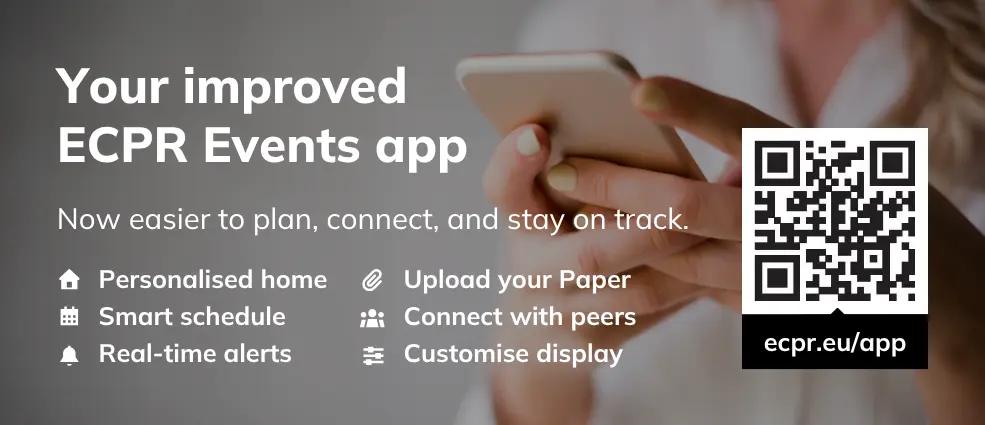
Following feedback from recent ECPR events, we’ve improved the app to make it easier to plan your time, navigate the conference, receive important updates, and connect with fellow participants.
Want a quick tour? Drop by the ECPR Hub for an app demo with our IT team. Available Tuesday – Thursday during scheduled coffee breaks.
See what's happening now, suggested sessions, recommended people to connect with, and highlights from across the conference.
Browse and search the daily programme, add sessions to your personal itinerary, and add them directly to your Apple or Google Calendar.
Explore the academic programme by activity, including Panels, Sections, Papers, People, Keywords and Meetings.
Find your way around the conference venues using the event map.
Search for participants, view profiles, and see their programme roles and links to websites or social media, where provided.
View the Papers and programme roles associated with you. You can also upload your Paper directly to the relevant Panel.
Discover exhibitors and partners attending the conference and access their websites.
Receive real-time announcements from the ECPR team and reminders 15 minutes before items in your itinerary start, as well as when they begin.
You can choose to receive alerts for your itinerary only or turn notifications off.
Find your personal registration QR code in the profile menu to use when collecting your badge.
Adjust font size, spacing and animation, and choose between Light, Dark, High Contrast and Monochrome display modes.
Add the platform to your phone's home screen and access the programme offline once it has loaded.
Message the ECPR team directly from within the app if you need help during the conference.
Access the Code of Conduct and information about reporting a concern at any time from the profile menu.
Your itinerary is your personal plan for the conference. Find it in the event app by tapping My Itinerary under Schedule. Any Panels where you have a role have been automatically added.
We recommend building your itinerary before you arrive so you can make the most of your time in Kraków.
See our Guide for how to navigate the programme, add sessions, find room information and export your itinerary to your calendar.
Uploaded Papers are available for download only on the event app.
Head to the Papers tab under Programme and tap the download icon to access the PDF (if available). You can also jump from each item straight to its session details.
Please upload your Paper (PDF in English) well ahead of your presentation to give fellow panellists time to prepare comments and questions.
You can upload your Paper directly in the event app by opening the profile menu and choosing My Items:
By uploading your Paper, you agree to its publication on the event app for all registered participants. To share your Paper directly with fellow panellists, please email it to your Panel Chair. Please note that Papers will NOT be officially published anywhere else by ECPR.
Please bring your presentation on a laptop or USB drive. Panel rooms are equipped with a Windows laptop and projector, which you are welcome to use, or you can connect your own laptop using the HDMI cable provided.
If your device does not have an HDMI port, please bring your own adaptor. Mac users should bring a USB-C/Thunderbolt-to-HDMI adaptor that supports HDMI 1.4b or higher.
If you experience any issues connecting a Mac to the projector, we recommend using the Windows laptop provided in the room.
For security reasons, large bags and luggage are not permitted in any Panel rooms. A designated bag storage area will be available at the conference venue.
Large bags and luggage are also prohibited at the Keynote and Welcome Reception. Please make alternative arrangements before attending these events.
Badge checks will be in place at the Keynote and Welcome Reception and therefore only registered participants with a valid badge may attend.
Dedicated working rooms with power sockets will be available on the third floor of the Faculty of International and Political Studies in rooms 333 and 335. As space is limited, access will operate on a first come, first served basis.
Please note that the Faculty of International and Political Studies is fully air conditioned. The Institute of Middle and Far East is not air-conditioned, however the building is shaded, and the temperature should remain comfortable.
Coffee and tea will be available during the scheduled breaks at refreshment points throughout both buildings.
Lunch is not provided as part of the conference. However, a range of food and refreshment options are available on and around the conference venue, including the Faculty Building Bistro, Faculty Building Restaurant (with additional courtyard tent seating), Jagiellonian Library Bistro (offering a 5% discount when showing your badge), and Wydział Smaku Restaurant.
Free drinking water is available at water fountains across the venues. We encourage you to bring a reusable water bottle.
For those planning a longer break, a range of cafés and restaurants can be found a short distance from campus. A list of recommended local options is available on this page.
All buildings are accessible via lifts or ramps, and accessible bathrooms are available throughout the venue.
If you require further information about accessibility or need any adjustments to support your participation, please contact our team generalconference@ecpr.eu.
Before joining, familiarise yourself with features you may need – mute / unmute microphone, stop/start video, share screen, naming / renaming yourself, chat and 'raise hand'. Find out more in the attendee controls guide.
To keep all sessions secure, Zoom links are not posted online. If you need the direct link to join, please contact us.
Times in your itinerary are indicated in CEST.
If you can't attend, please let us know as soon as possible.
You will find plenty of useful information in our Help Centre on our website or the event app.
Our Events Team are also on hand to assist at the Information Desk throughout the event:
Faculty of International and Political Studies
Tuesday - Thursday: 08:00–18:00
Friday: 08:30–18:00
You can also get in touch by emailing generalconference@ecpr.eu.
Photographers and videographers will be capturing footage at various locations on campus during this event. This media may be used by ECPR to promote its activities on its website, in digital and email marketing, on social media, and in other promotional materials.
If you do not wish to appear in such media, please email communications@ecpr.eu or inform a member of staff at the ECPR Information Desk or the ECPR Hub.